Home
Webalo Platform Unification
Webalo Platform Unification
Unified Webalo’s previously separate administrative and end-user platforms into a single, scalable experience—reducing legacy complexity while supporting thousands of enterprise users across desktop and mobile.
Unified Webalo’s previously separate administrative and end-user platforms into a single, scalable experience—reducing legacy complexity while supporting thousands of enterprise users across desktop and mobile.
Timeline
Mar 2025 - Sep 2025
Role
UX Designer
Tool
Figma, Lovable, Figma Make
Team
Webalo Product Team
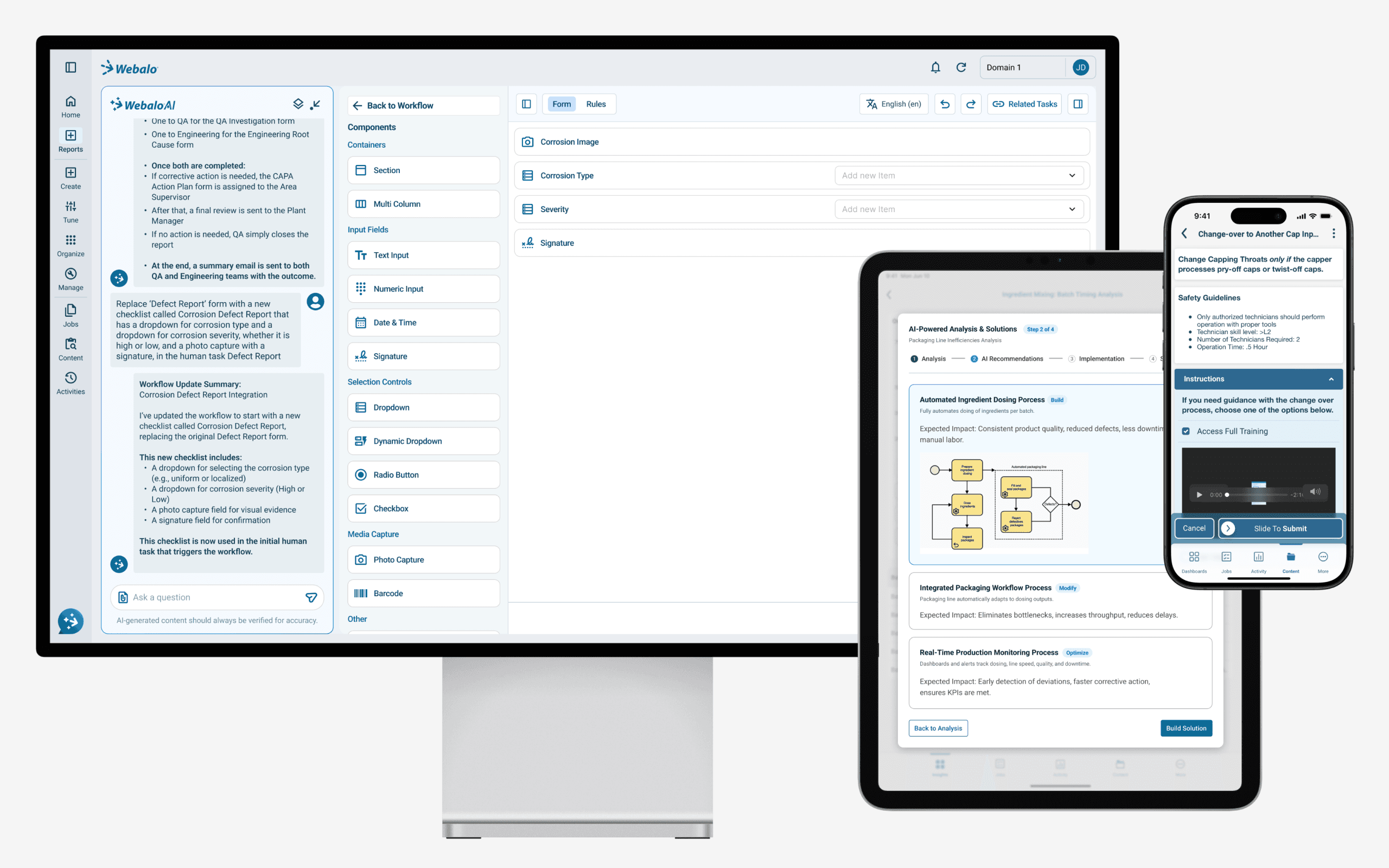
This project delivers a modern, unified Webalo experience across platforms
This project delivers a modern, unified Webalo experience across platforms
Challenge 1
Navigation & Structure
Challenge 1
Navigation & Structure
The system existed across two disconnected sites with different interfaces and navigation patterns, some of which were not responsive. This fragmentation resulted in an inconsistent experience, making it difficult for users to understand where to go and how to complete tasks. Our goal was to bring these experiences together into a single, coherent platform.
The system existed across two disconnected sites with different interfaces and navigation patterns, some of which were not responsive. This fragmentation resulted in an inconsistent experience, making it difficult for users to understand where to go and how to complete tasks. Our goal was to bring these experiences together into a single, coherent platform.
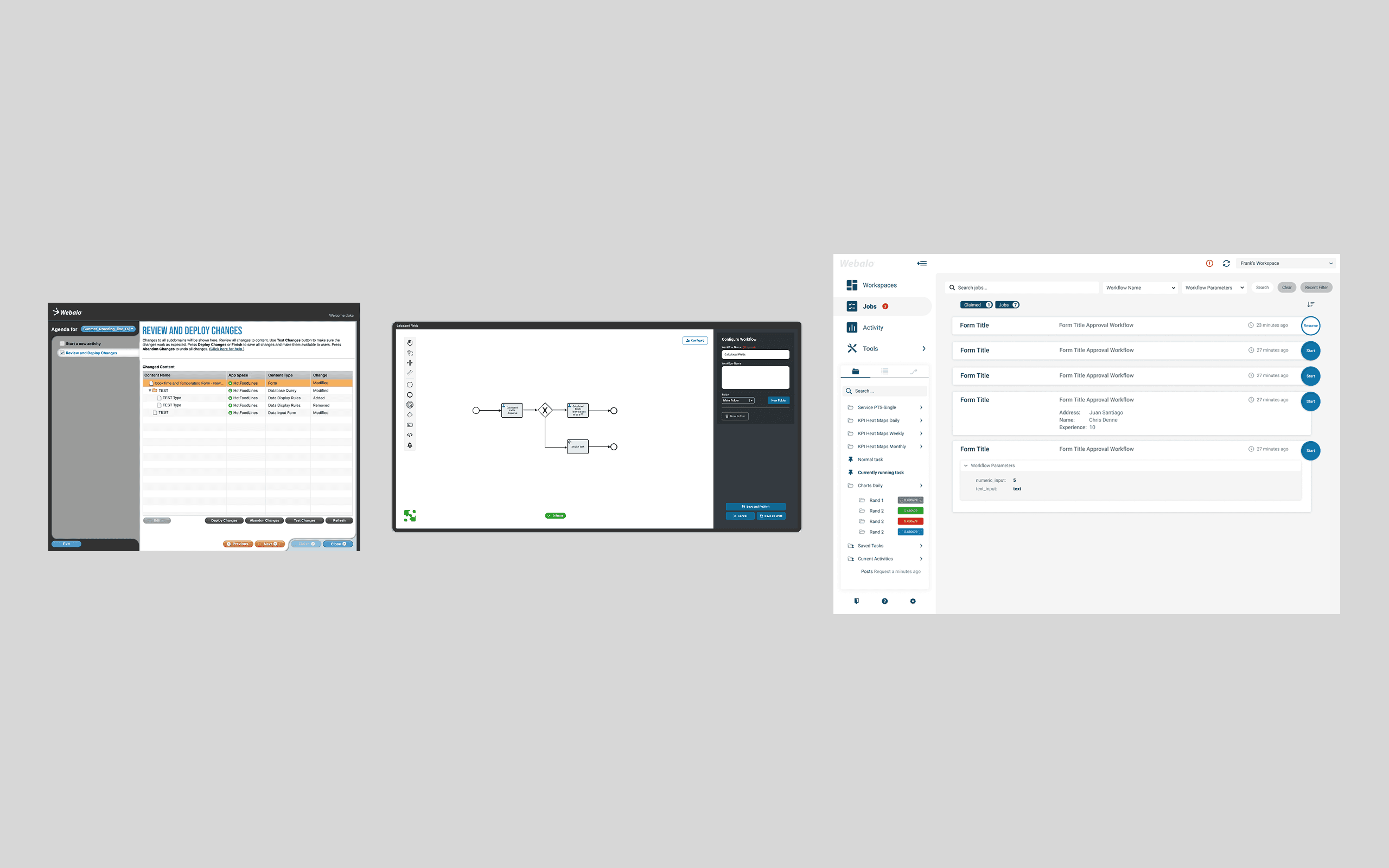
Managing Site (left), Workflow Editor (center), Executing Site (right)
Managing Site (left), Workflow Editor (center), Executing Site (right)
Framework for Unification
Framework for Unification
To unify the experience, I designed a flexible layout framework that could consistently accommodate different components and workflows—providing a clear structure while maintaining visual and interaction coherence.
To unify the experience, I designed a flexible layout framework that could consistently accommodate different components and workflows—providing a clear structure while maintaining visual and interaction coherence.
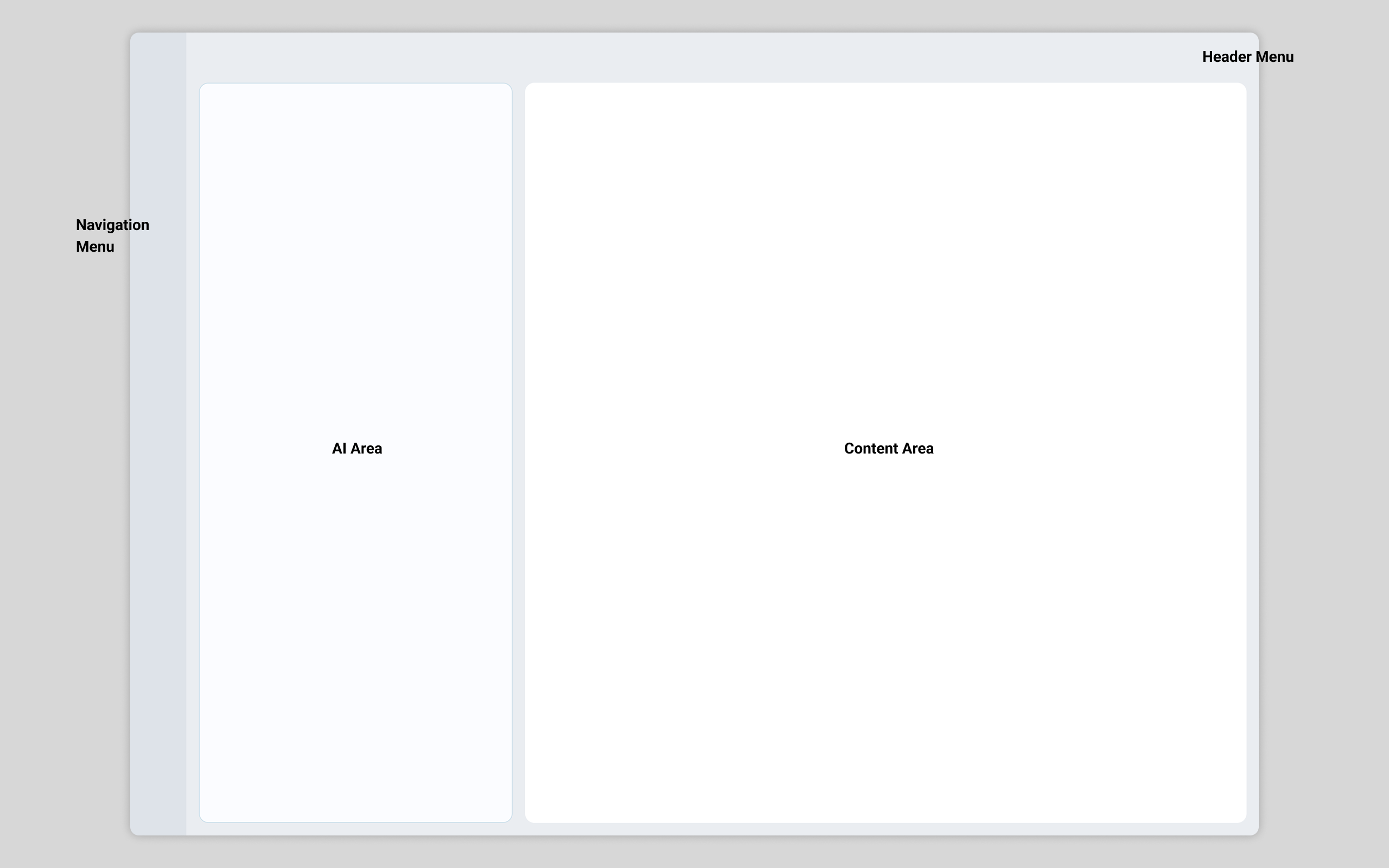
Layout framework for platform unification
Layout framework for platform unification
Menu Design
Menu Design
Webalo is a complex platform that provides powerful tools for manufacturing users. As the product grew, this complexity led to an increasingly dense navigation system that made it difficult for users to explore features and understand where to go next.
I explored multiple menu design approaches, testing different folding and grouping behaviors to reduce unnecessary page changes and minimize interaction cost. The goal was to preserve the platform’s power while making navigation clearer, simpler, and easier to use.
Webalo is a complex platform that provides powerful tools for manufacturing users. As the product grew, this complexity led to an increasingly dense navigation system that made it difficult for users to explore features and understand where to go next.
I explored multiple menu design approaches, testing different folding and grouping behaviors to reduce unnecessary page changes and minimize interaction cost. The goal was to preserve the platform’s power while making navigation clearer, simpler, and easier to use.
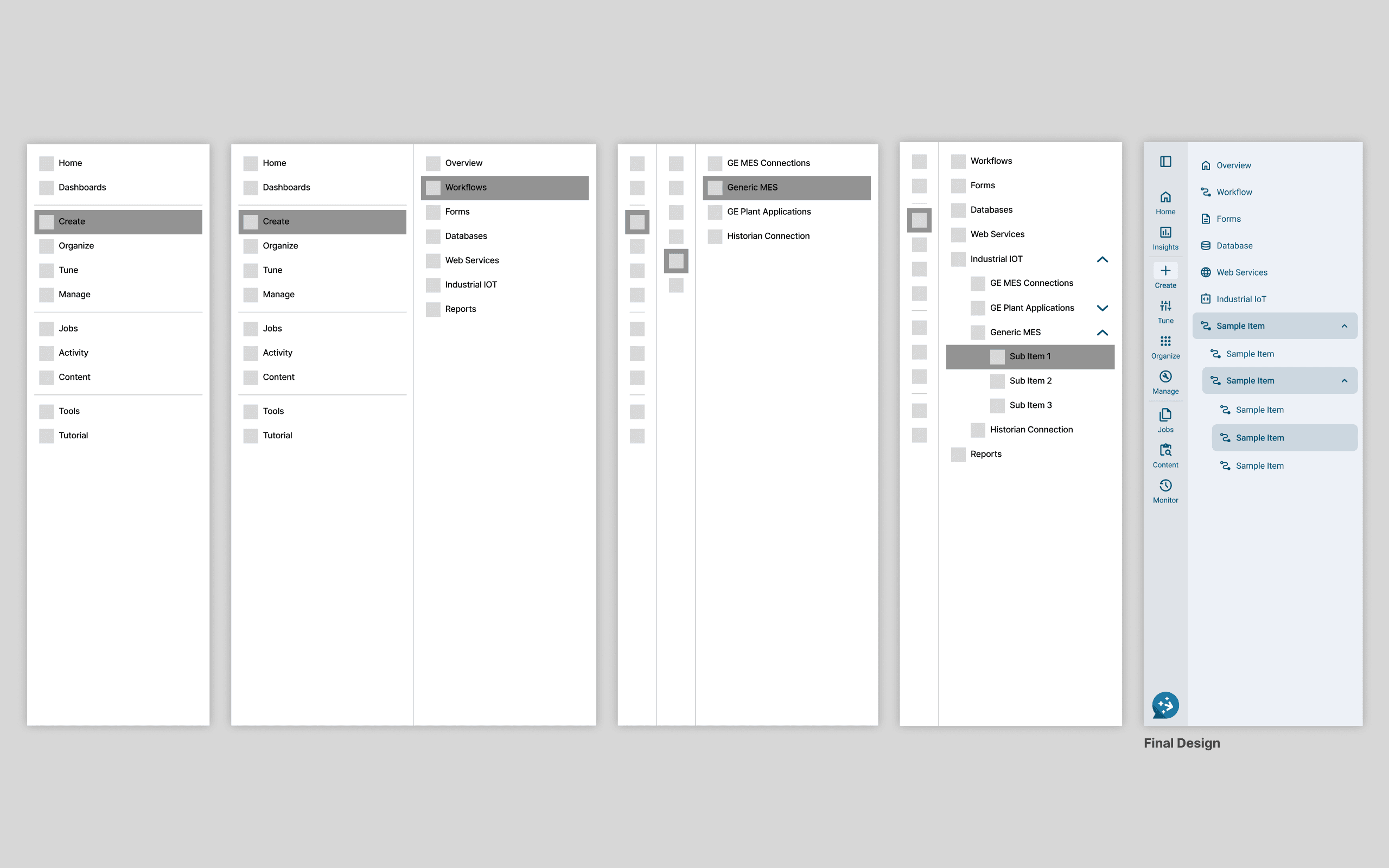
Reorganizing navigation for clarity and efficiency
Reorganizing navigation for clarity and efficiency
Menu Restructure
Menu Restructure
I worked closely with product managers and engineers to reorganize the navigation structure. This included removing unused features, resolving overlaps, renaming menu items, redesigning icons, and restructuring the navigation around user tasks—making it easier for users to find what they need within a single, unified platform.
I worked closely with product managers and engineers to reorganize the navigation structure. This included removing unused features, resolving overlaps, renaming menu items, redesigning icons, and restructuring the navigation around user tasks—making it easier for users to find what they need within a single, unified platform.
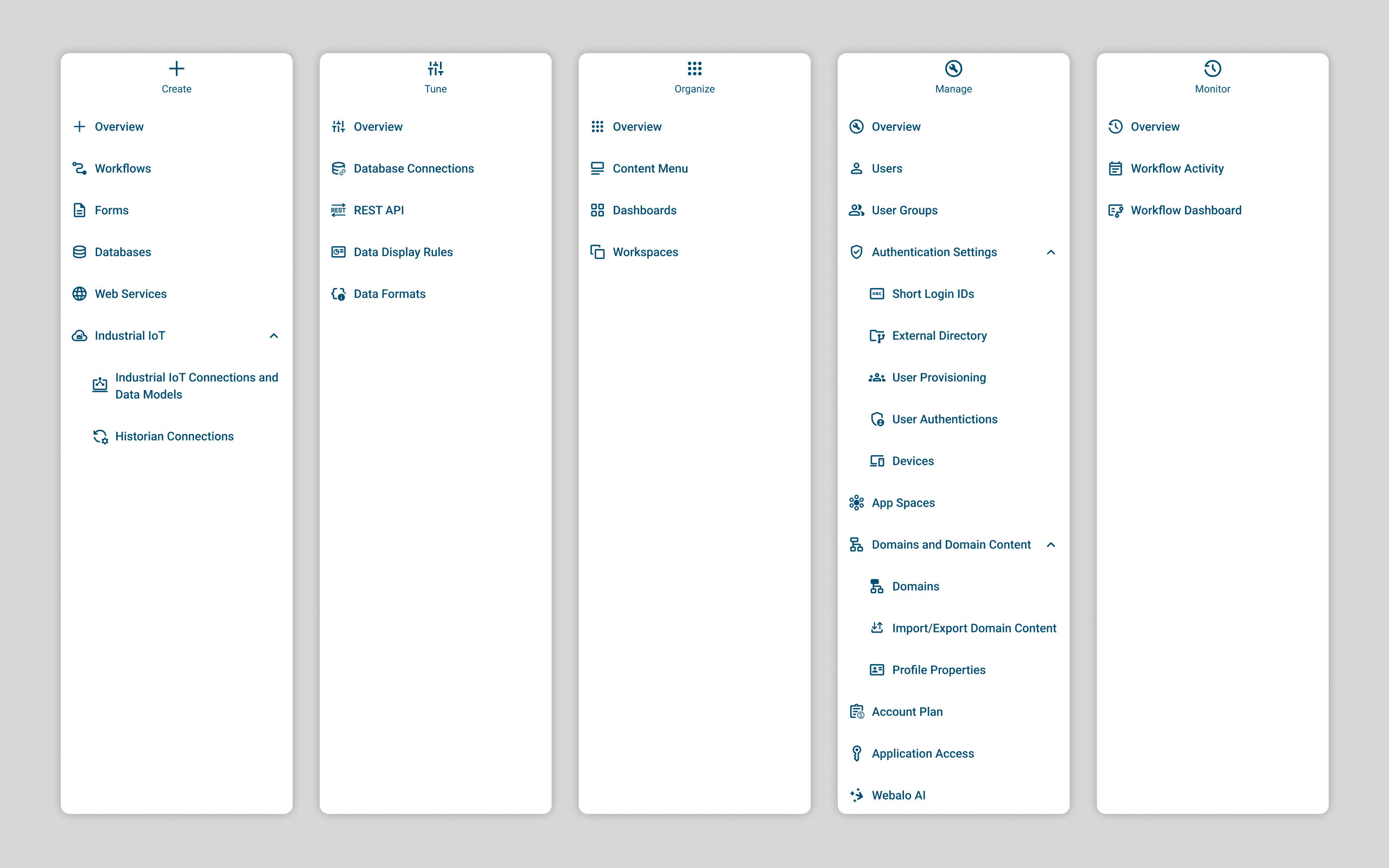
Restructured Menu
Role-Based Visibility
Role-Based Visibility
Permissions allow the unified interface to dynamically serve different content to different roles—giving admins full access while keeping the view focused for end-users.
Permissions allow the unified interface to dynamically serve different content to different roles—giving admins full access while keeping the view focused for end-users.
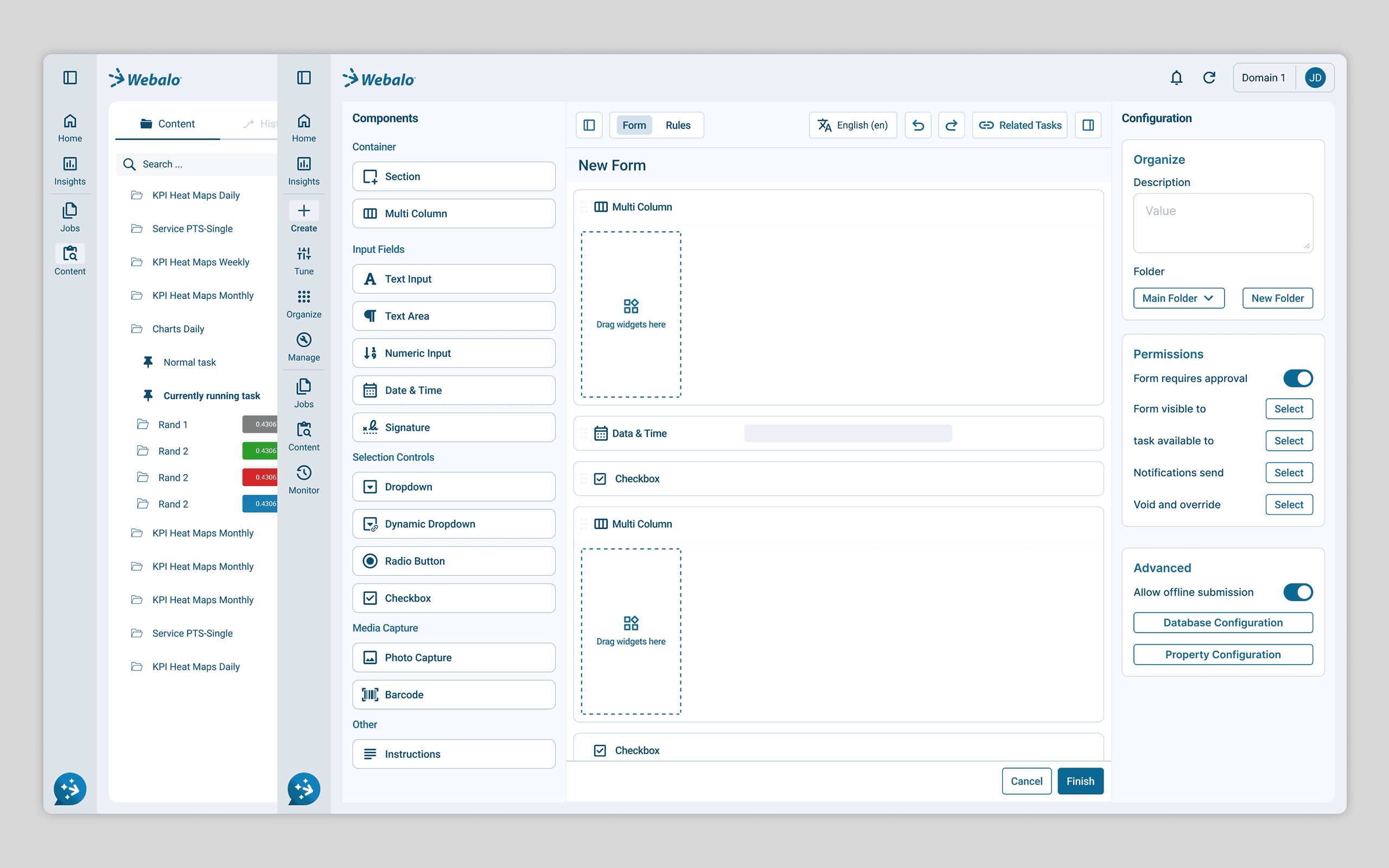
Content varies by user role
Content varies by user role
Challenge 2
Visual Consistency & Design System
Challenge 2
Visual Consistency & Design System
Independent evolution across the platform led to inconsistent styles, patterns, and interactions. Legacy decisions from both products accumulated over time, resulting in a fragmented experience shaped by multiple design languages.
Independent evolution across the platform led to inconsistent styles, patterns, and interactions. Legacy decisions from both products accumulated over time, resulting in a fragmented experience shaped by multiple design languages.

Inconsistent design patterns across platforms
Inconsistent design patterns across platforms
Inconsistent Icon Usage
Inconsistent Icon Usage
Over years of development, Webalo accumulated multiple icon sets created at different times and for different needs. Without a unified icon system, the interface felt inconsistent, making it harder for users to quickly recognize actions and navigate the product.
Over years of development, Webalo accumulated multiple icon sets created at different times and for different needs. Without a unified icon system, the interface felt inconsistent, making it harder for users to quickly recognize actions and navigate the product.
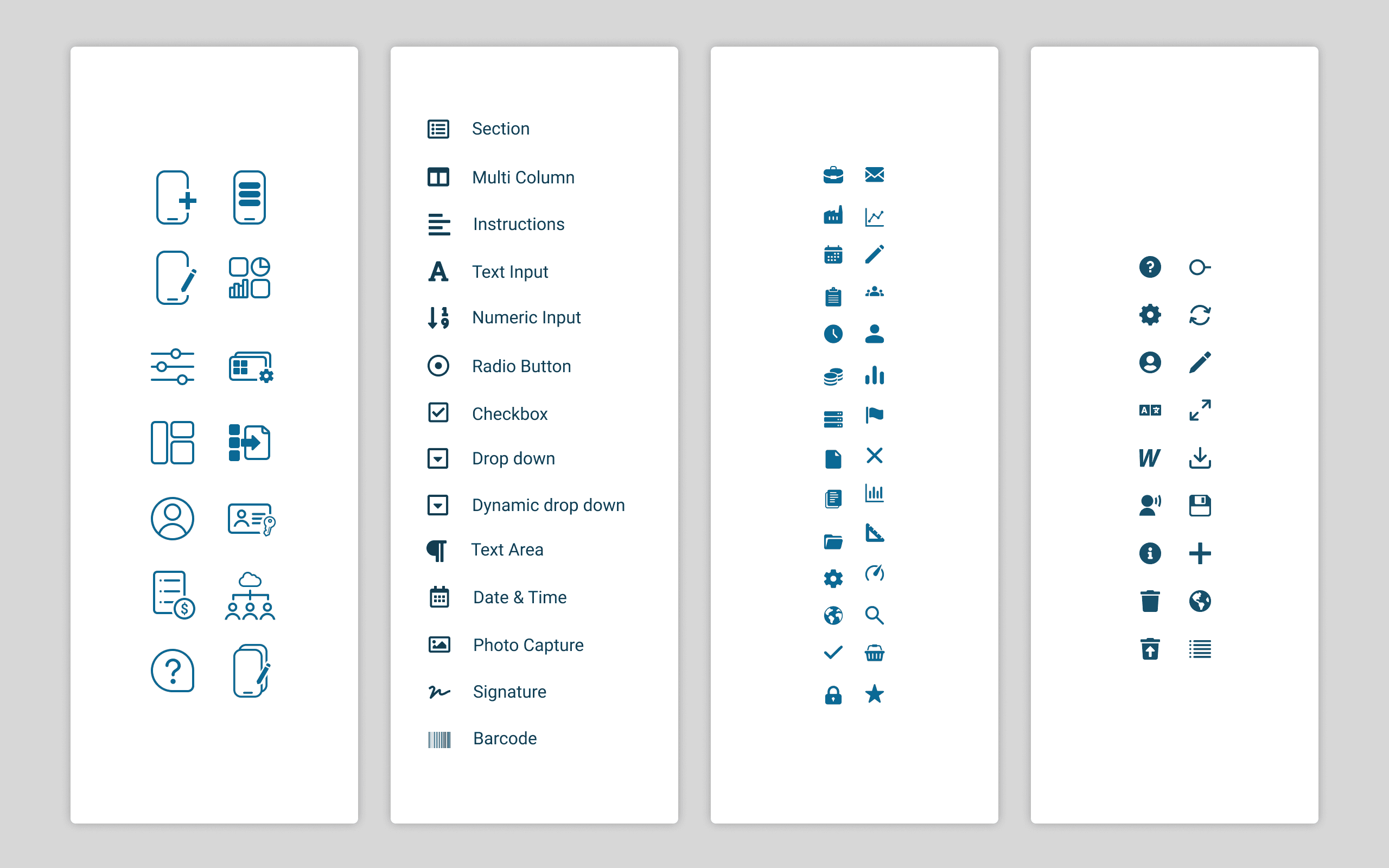
Multiple icon sets throughout the platform
Multiple icon sets throughout the platform
Icon Redesign
Icon Redesign
I defined a new icon set, leveraging Google Material icons where appropriate and designing custom icons when needed to ensure consistency, clarity, and full coverage across the platform.
I defined a new icon set, leveraging Google Material icons where appropriate and designing custom icons when needed to ensure consistency, clarity, and full coverage across the platform.
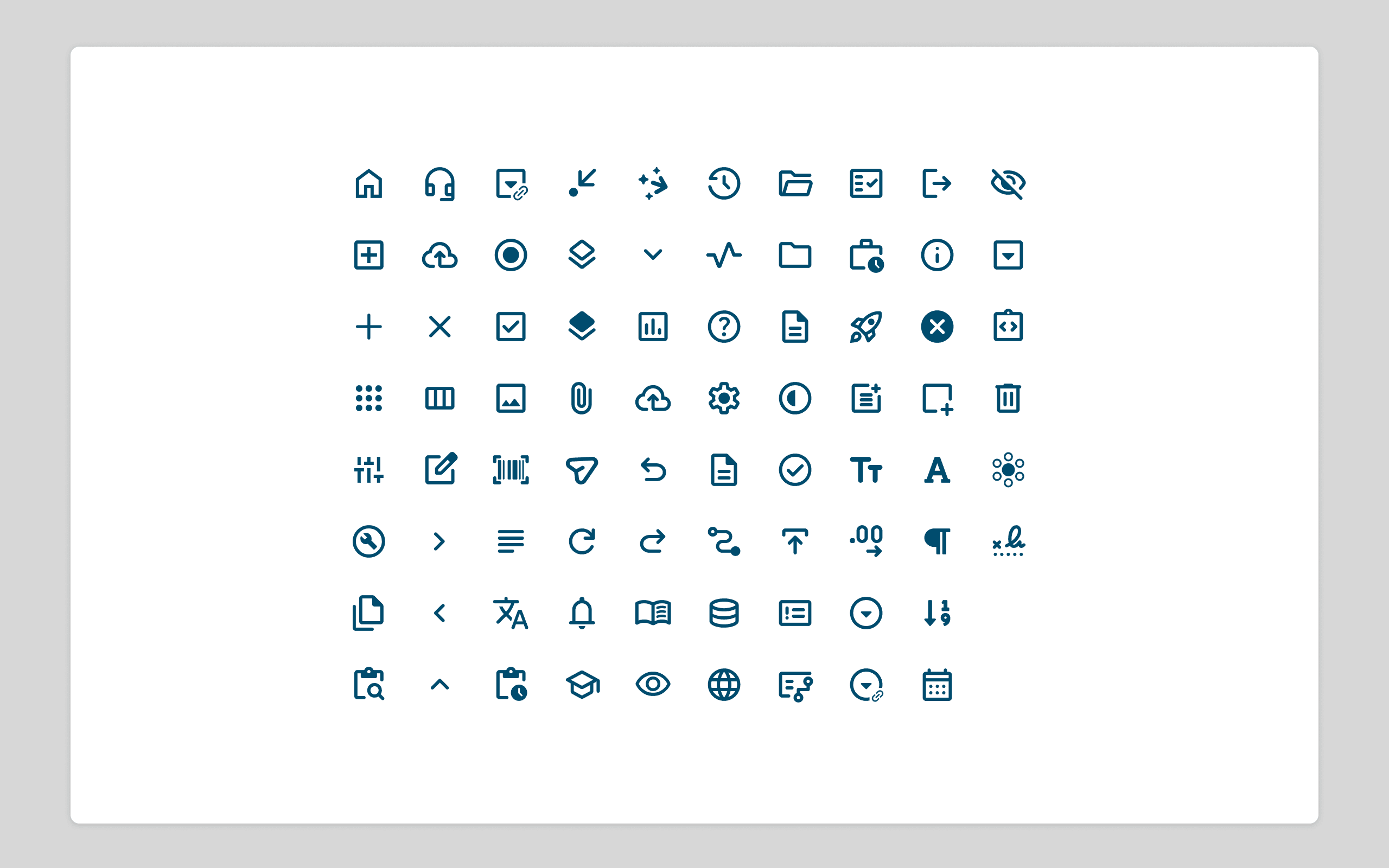
Redesigned icons to improve clarity and consistency
Redesigned icons to improve clarity and consistency
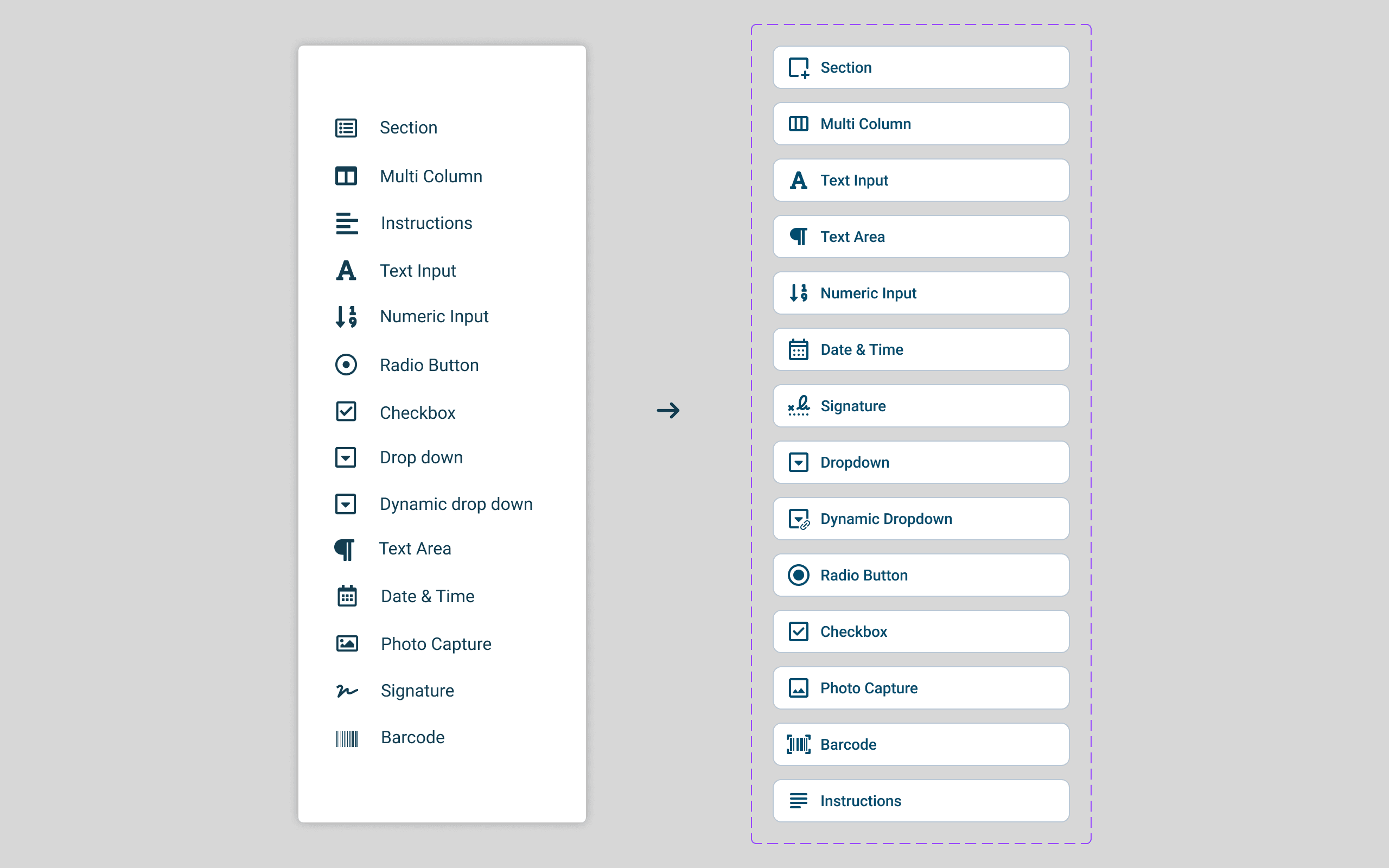
Form design icons: before and after
Form design icons: before and after
Design System Setup
Design System Setup
One of the key challenges we were facing was that Webalo lacked a well-maintained and up-to-date design system, which led to visual inconsistency, design confusion, and implementation issues.
Building on the new interface and icon redesign, I established a new design system to align the team around consistent patterns. This enabled rapid component reuse, improved design consistency across the team, and supported long-term scalability.
Design tokens and Figma Components were used to ensure visual consistency during design and to make implementation easier for frontend developers.
One of the key challenges we were facing was that Webalo lacked a well-maintained and up-to-date design system, which led to visual inconsistency, design confusion, and implementation issues.
Building on the new interface and icon redesign, I established a new design system to align the team around consistent patterns. This enabled rapid component reuse, improved design consistency across the team, and supported long-term scalability.
Design tokens and Figma Components were used to ensure visual consistency during design and to make implementation easier for frontend developers.
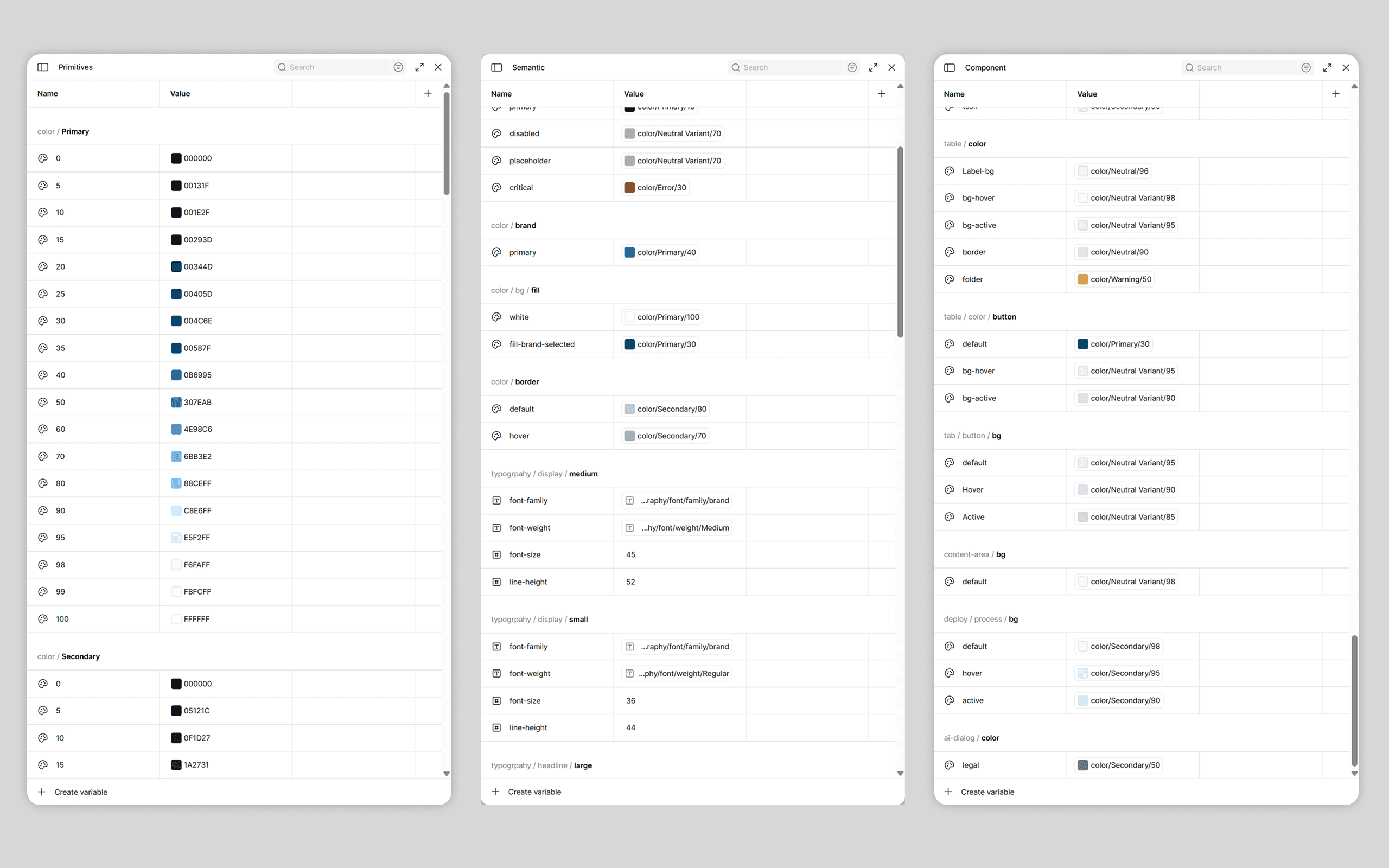
Primary, secondary, and component tokens were defined
Primary, secondary, and component tokens were defined
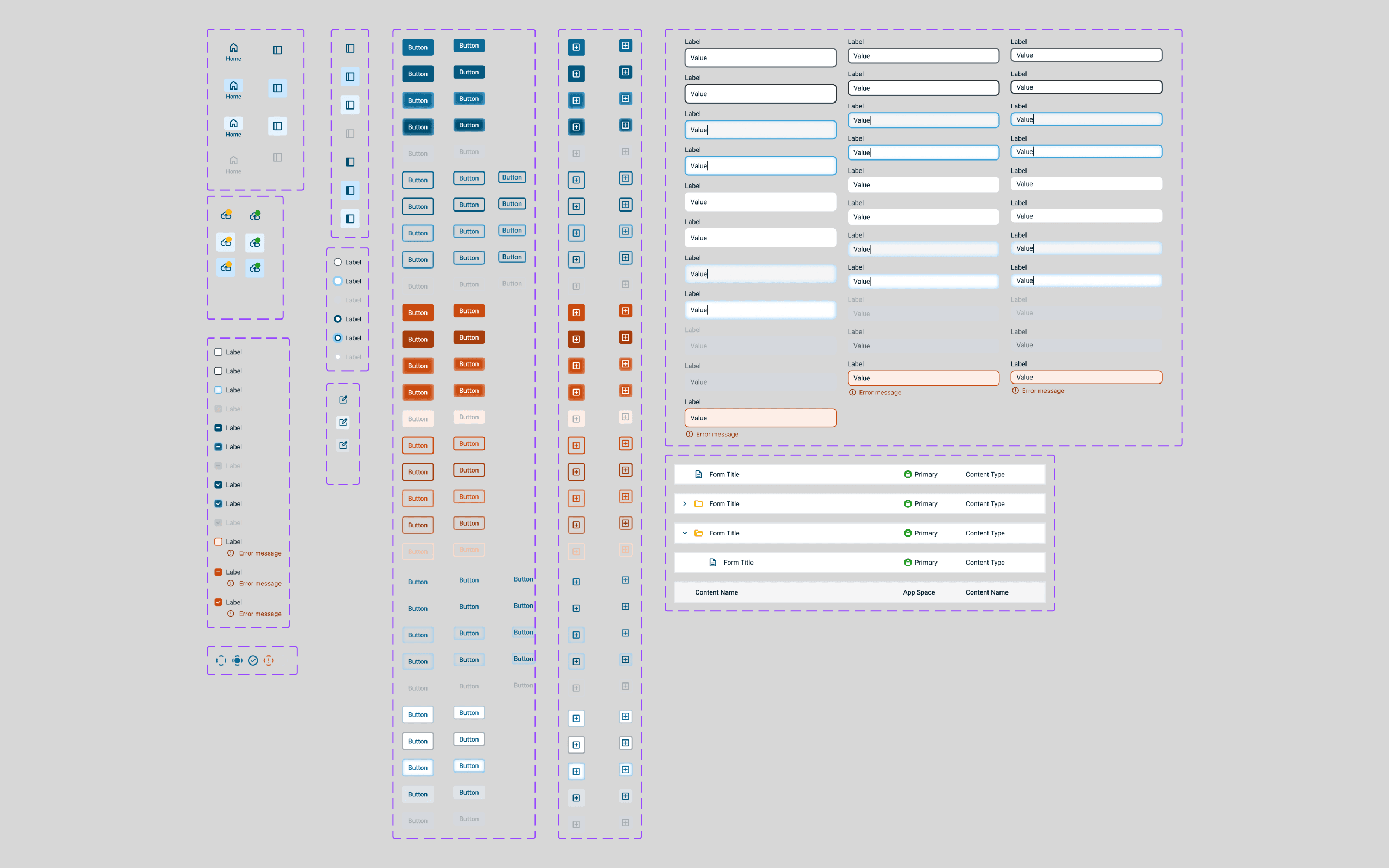
Reusable components with consistent states and behaviors
Reusable components with consistent states and behaviors
Component Redesign
Component Redesign
I collaborated with the team to redesign all core components, modernizing the visual language and ensuring the new design system was applied accurately across the platform to create a cohesive experience.
I collaborated with the team to redesign all core components, modernizing the visual language and ensuring the new design system was applied accurately across the platform to create a cohesive experience.
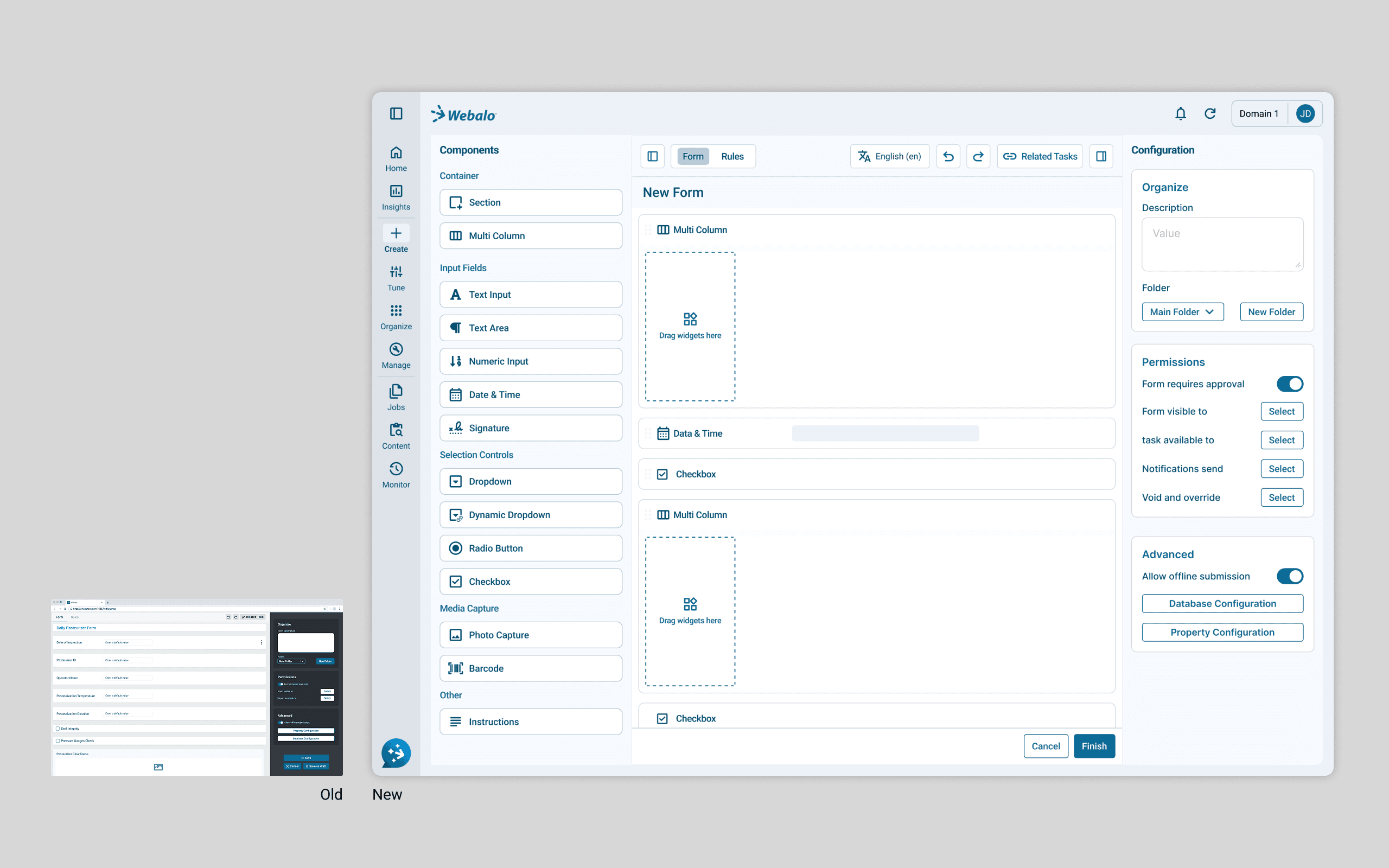
Form Designer
Form Designer
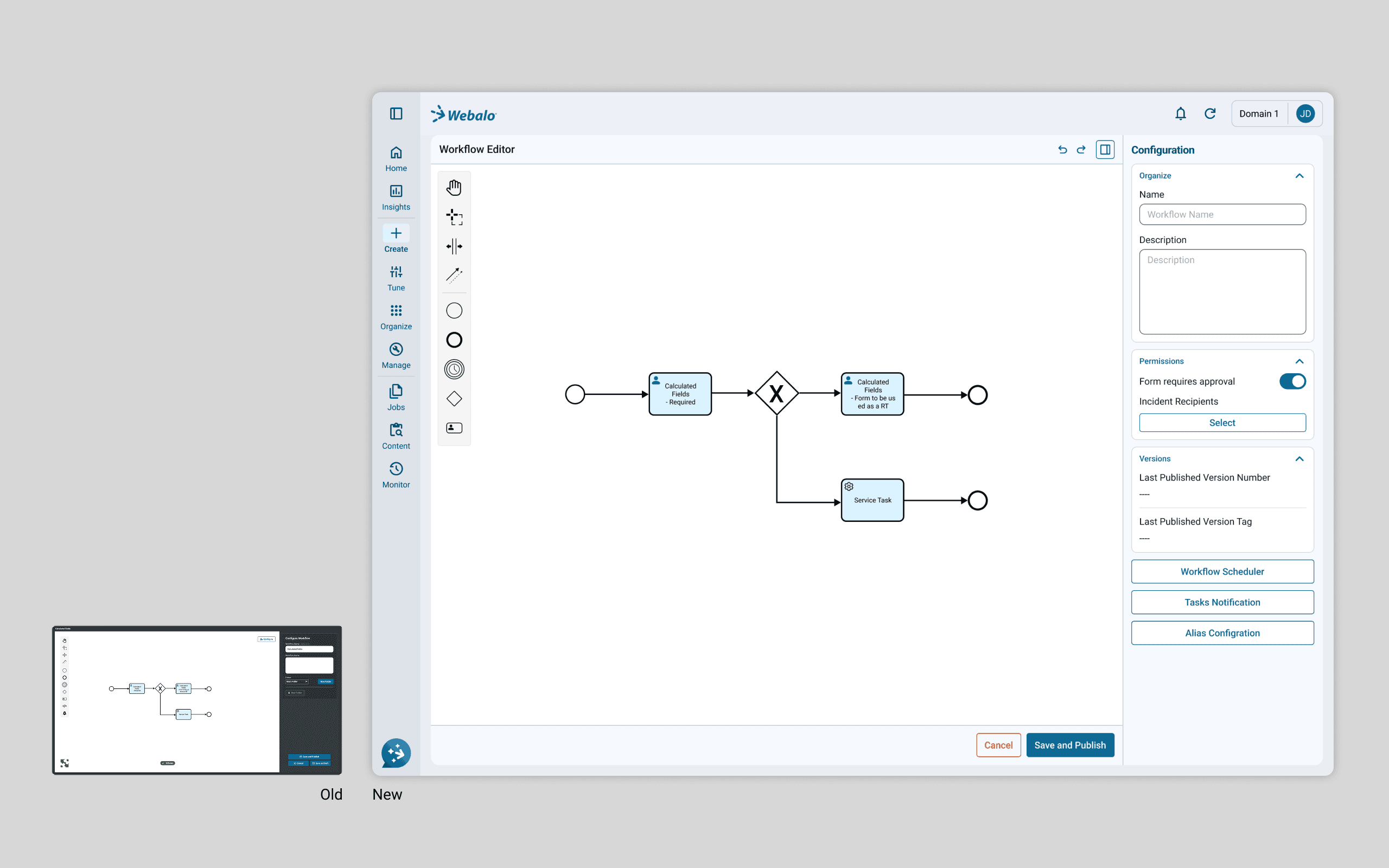
Workflow Designer
Workflow Designer
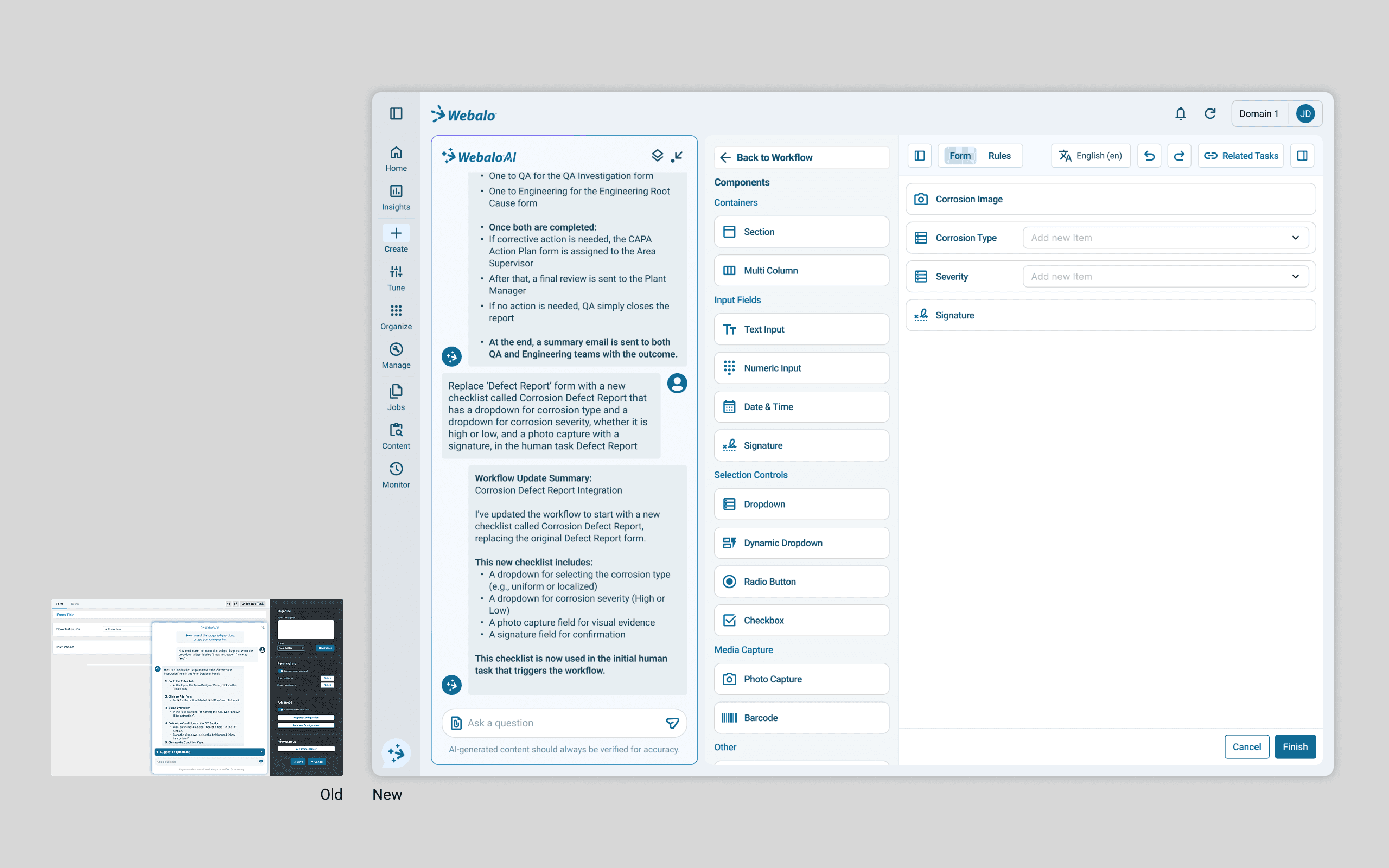
AI Integration
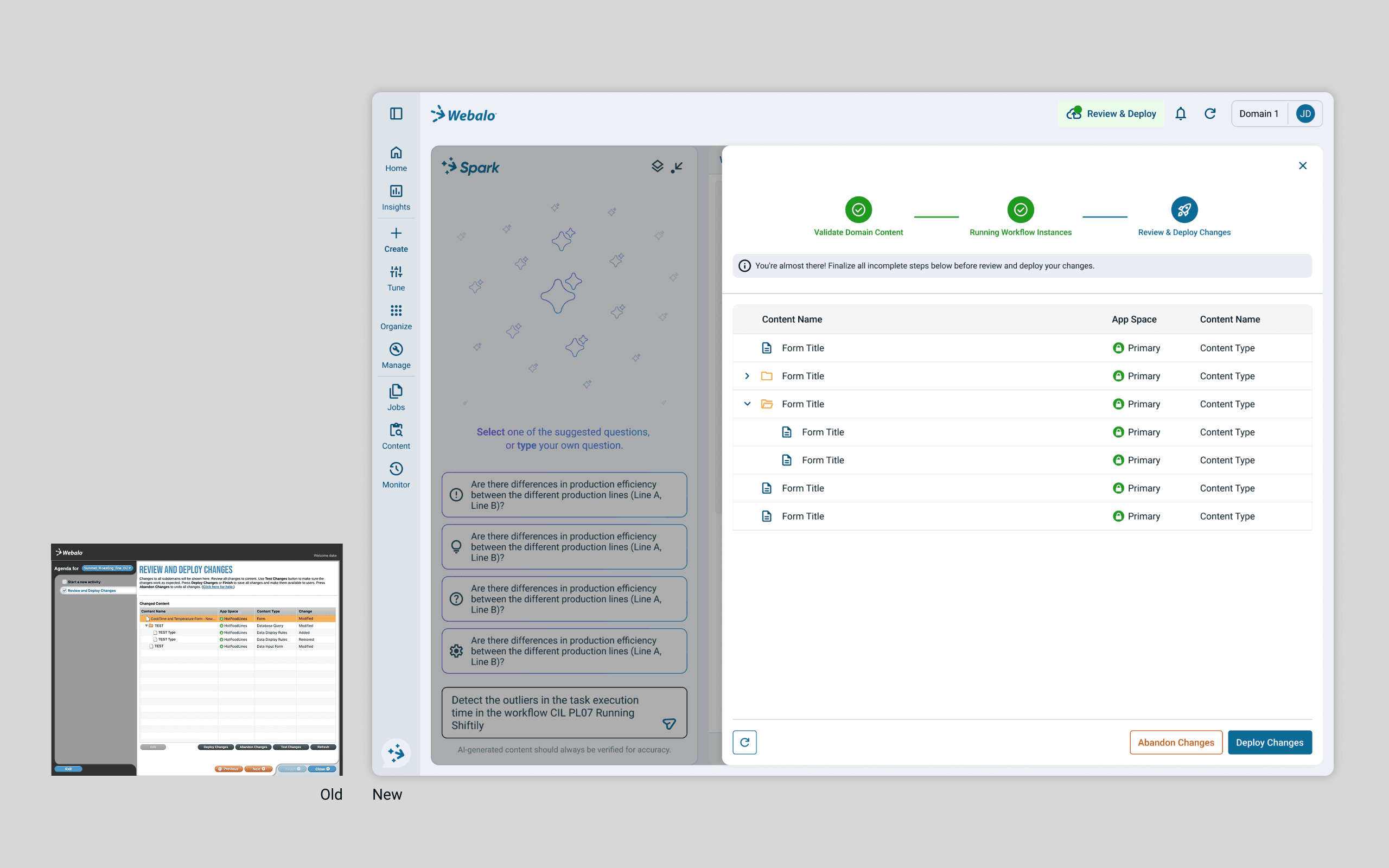
Review & Deploy Page
Review & Deploy Page
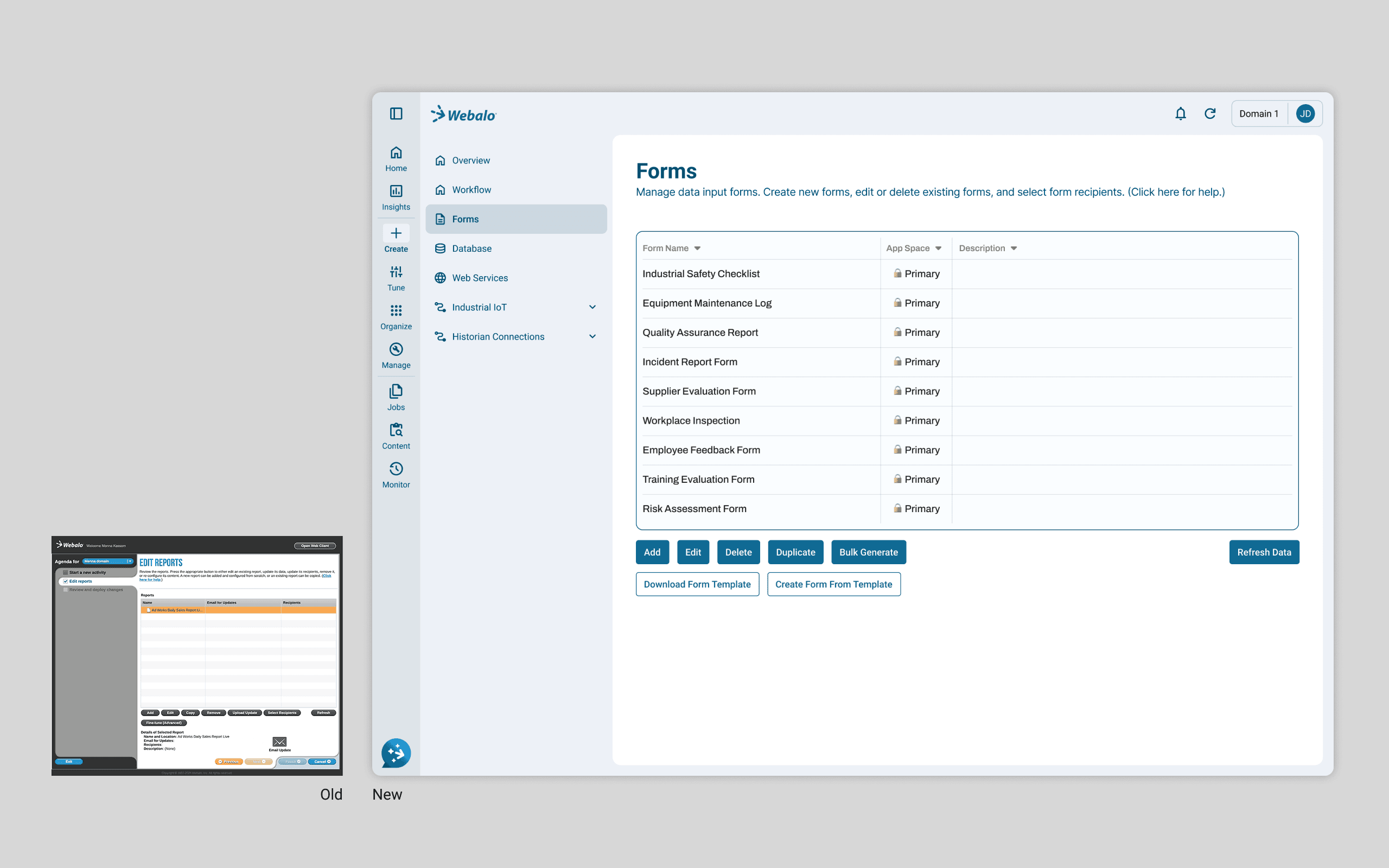
Form Management Page Within Technical Constraints
Form Management Page Within Technical Constraints
Explorations for Future Phases
Insights Panel & Mobile Applications
Explorations for Future Phases
Insights Panel & Mobile Applications
In parallel with the unification work, we explored early concepts for future phases, including an insights panel and mobile applications built on the same design foundation.
In parallel with the unification work, we explored early concepts for future phases, including an insights panel and mobile applications built on the same design foundation.
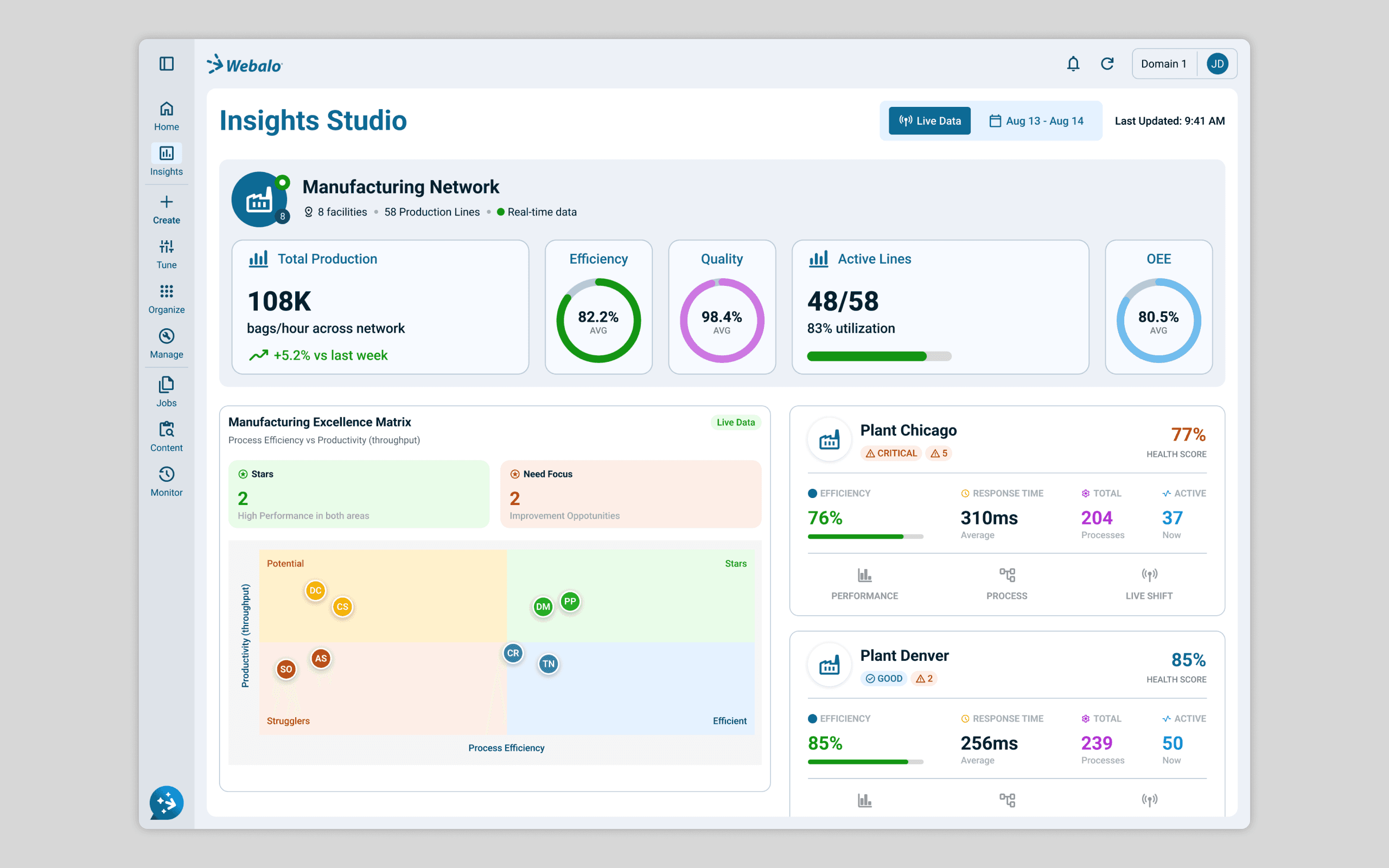
An Insights Studio design exploration (desktop view)
An Insights Studio design exploration (desktop view)
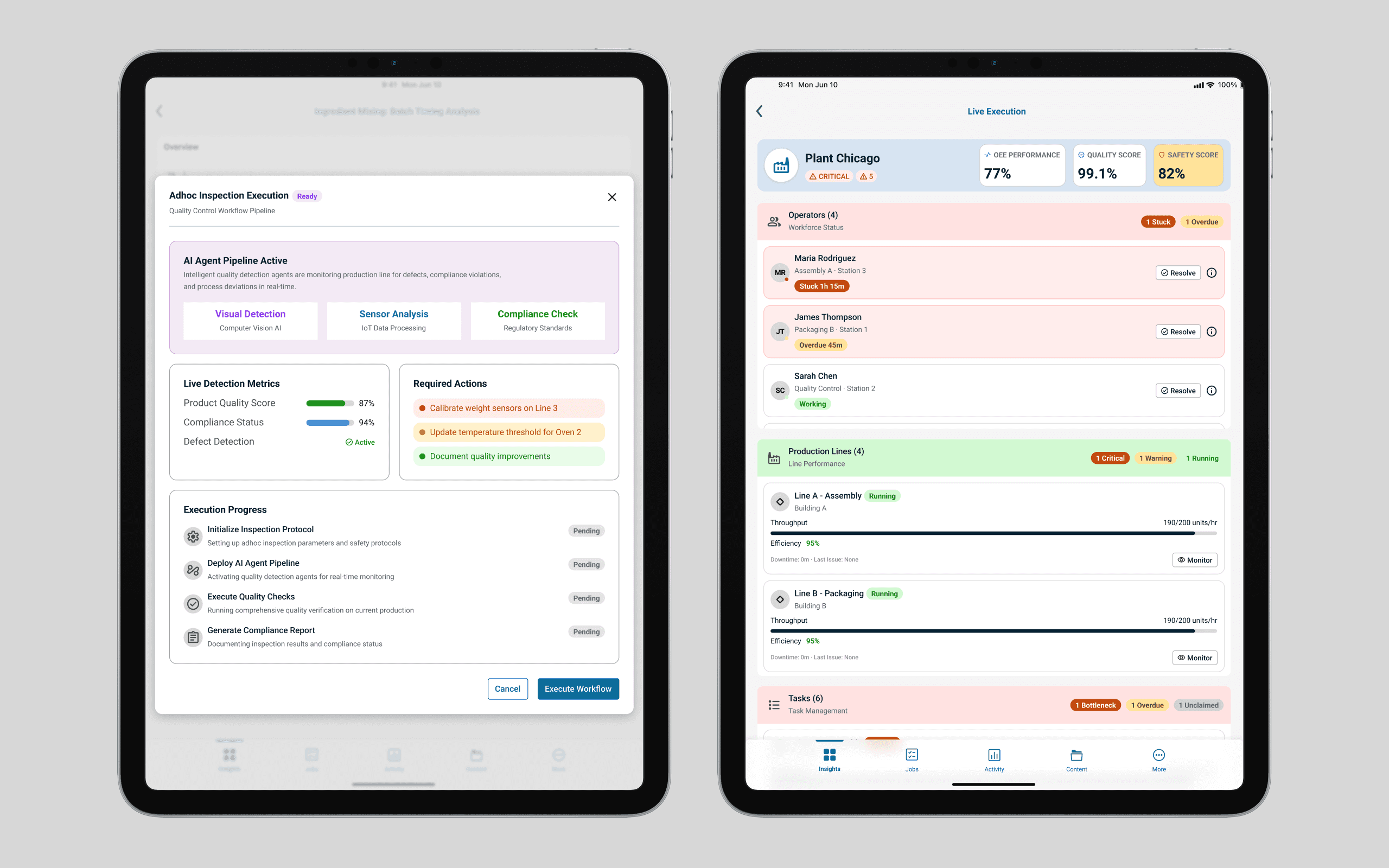
An Insights Studio design exploration (tablet view)
An Insights Studio design exploration (tablet view)
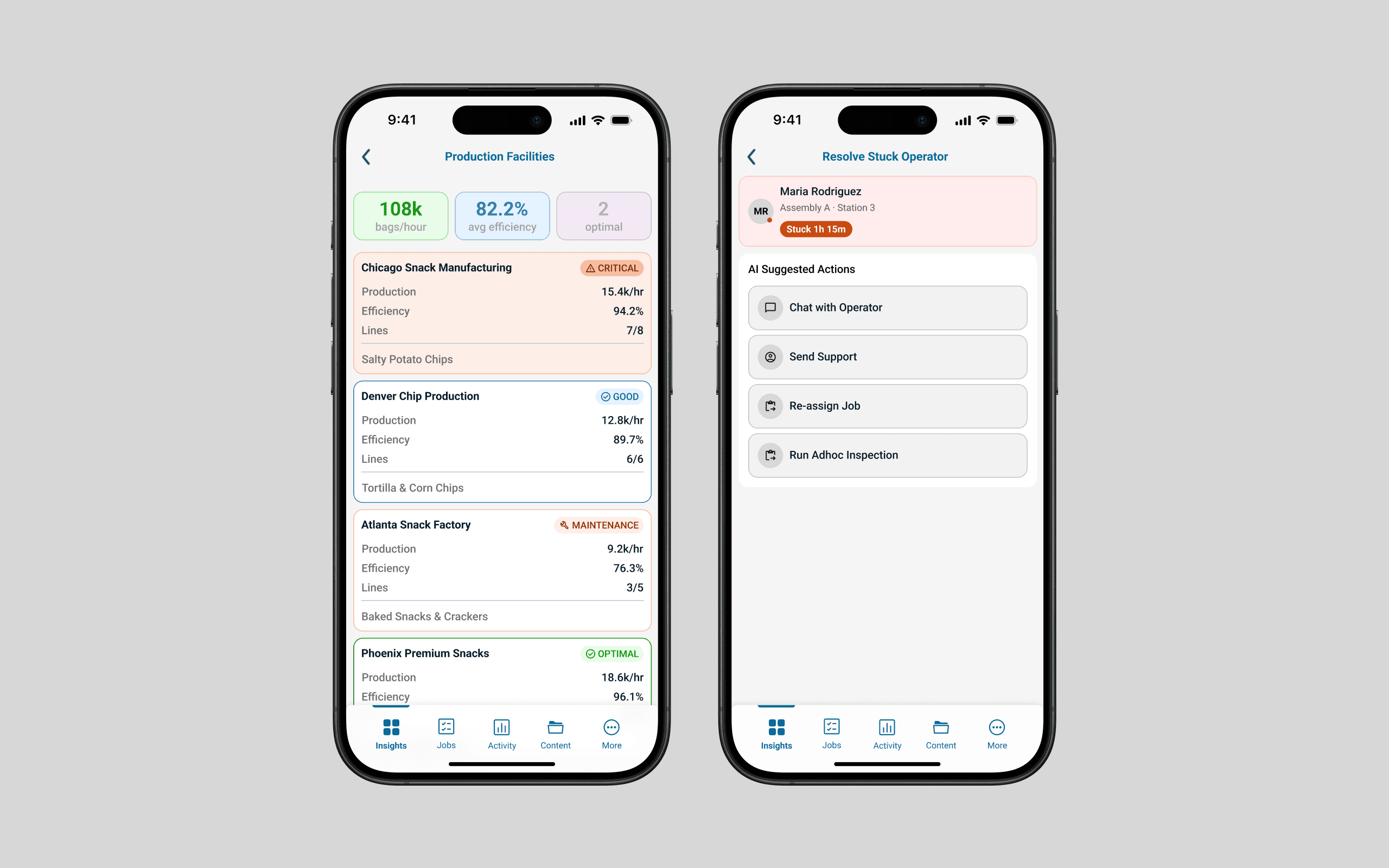
An Insights Studio design exploration (mobile view)
An Insights Studio design exploration (mobile view)
Exploring Generative AI in the Design Process
Feature brainstorming and interactive prototyping
Exploring Generative AI in the Design Process
Feature brainstorming and interactive prototyping
I explored using generative AI tools such as Lovable to rapidly turn ideas into interactive prototypes, making early concepts easy to understand and discuss across the team. These explorations helped communicate feature ideas and potential capabilities to non-designers without requiring significant time spent on mockup creation.
I explored using generative AI tools such as Lovable to rapidly turn ideas into interactive prototypes, making early concepts easy to understand and discuss across the team. These explorations helped communicate feature ideas and potential capabilities to non-designers without requiring significant time spent on mockup creation.
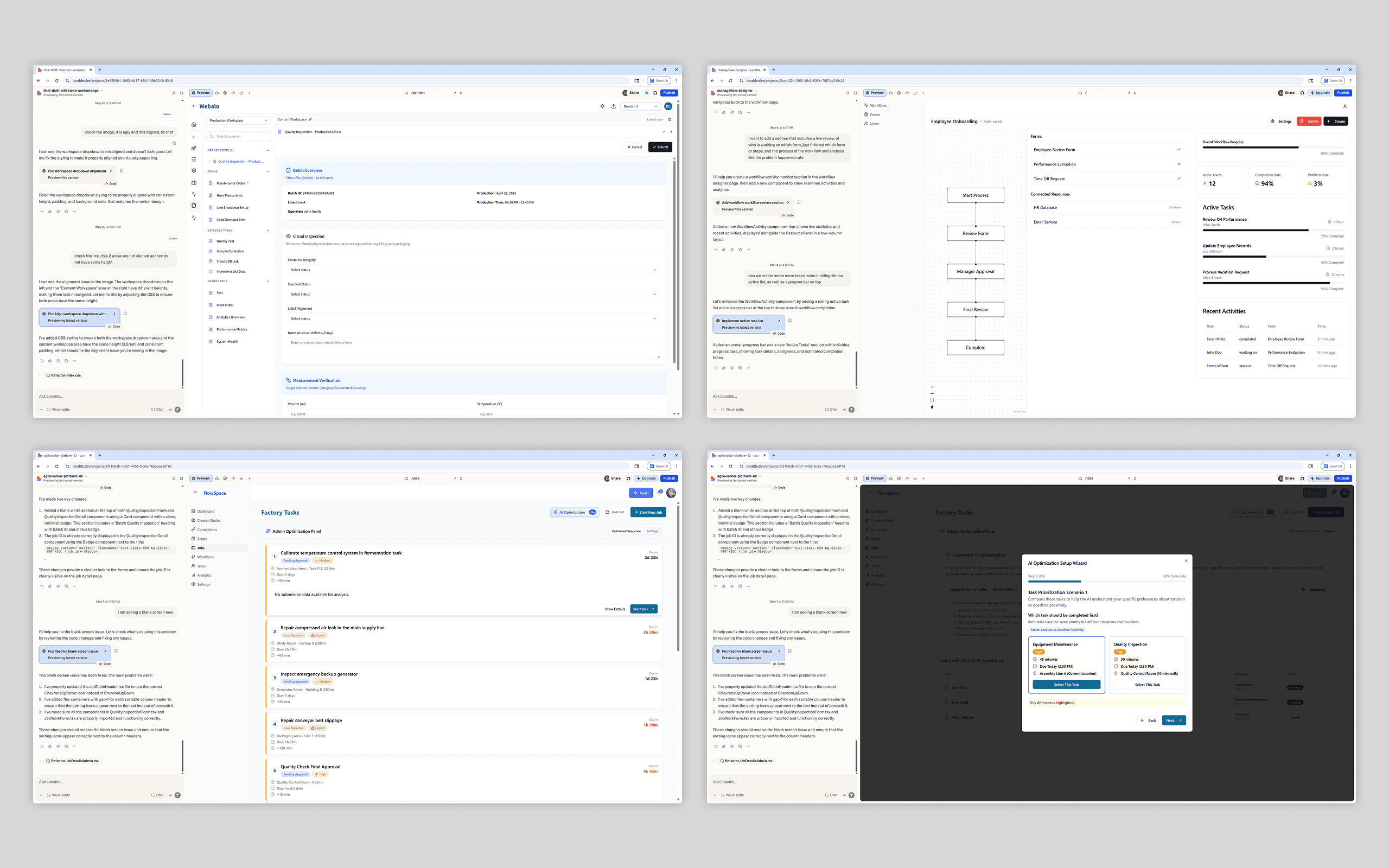
Early feature exploration prototypes generated with Lovable
Early feature exploration prototypes generated with Lovable
Outcome
Outcome
We successfully transformed two fragmented tools into one seamless ecosystem. The new design system empowered the team to work more consistently and efficiently, bridging the gap between design and code through reusable components and shared tokens.
This initial phase focused on unifying the core web experience, while establishing a scalable foundation that can extend to mobile clients as development capacity allows.
We successfully transformed two fragmented tools into one seamless ecosystem. The new design system empowered the team to work more consistently and efficiently, bridging the gap between design and code through reusable components and shared tokens.
This initial phase focused on unifying the core web experience, while establishing a scalable foundation that can extend to mobile clients as development capacity allows.
Reflection
Reflection
This project pushed me from execution into leading design discussions and decisions. Building a design system from the ground up—and working closely with engineering and product—deepened my understanding of design as a platform-level, collaborative practice shaped by real-world constraints.
This project pushed me from execution into leading design discussions and decisions. Building a design system from the ground up—and working closely with engineering and product—deepened my understanding of design as a platform-level, collaborative practice shaped by real-world constraints.
Designed and Built by Dake Cui © 2026
Designed and Built by Dake Cui © 2026